Gaussian Splat with Particles Simulation
Use some data from Gaussian Splat, such as points position, color attribute and scale with particles simulation in Houdini
Explore solutions for Gaussian Splat rendering in Houdini
Rendering: Particles with Karma XPU, Gaussian Splat with V-Ray Houdini
Process
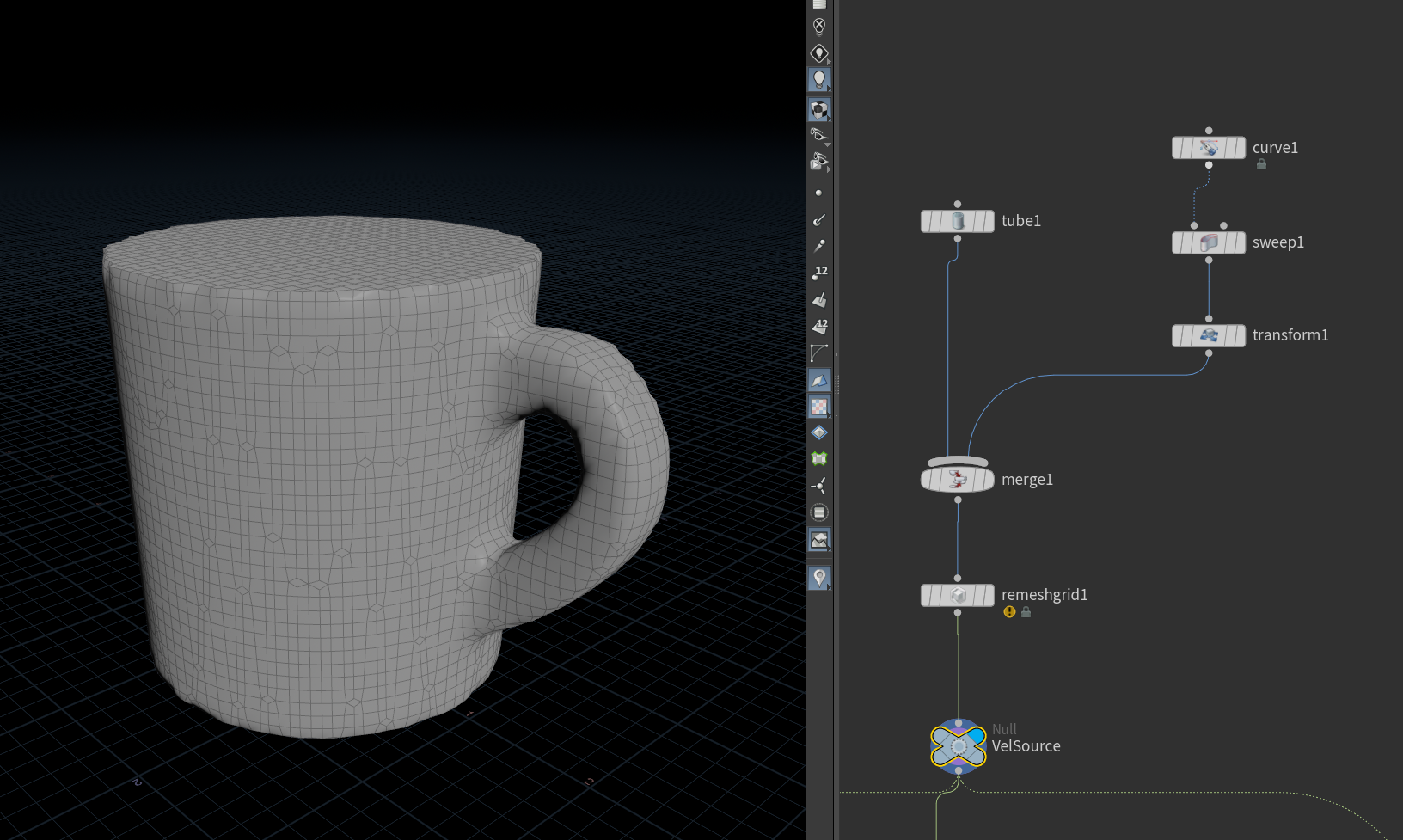
Create a proxy geometry for using as a velocity source
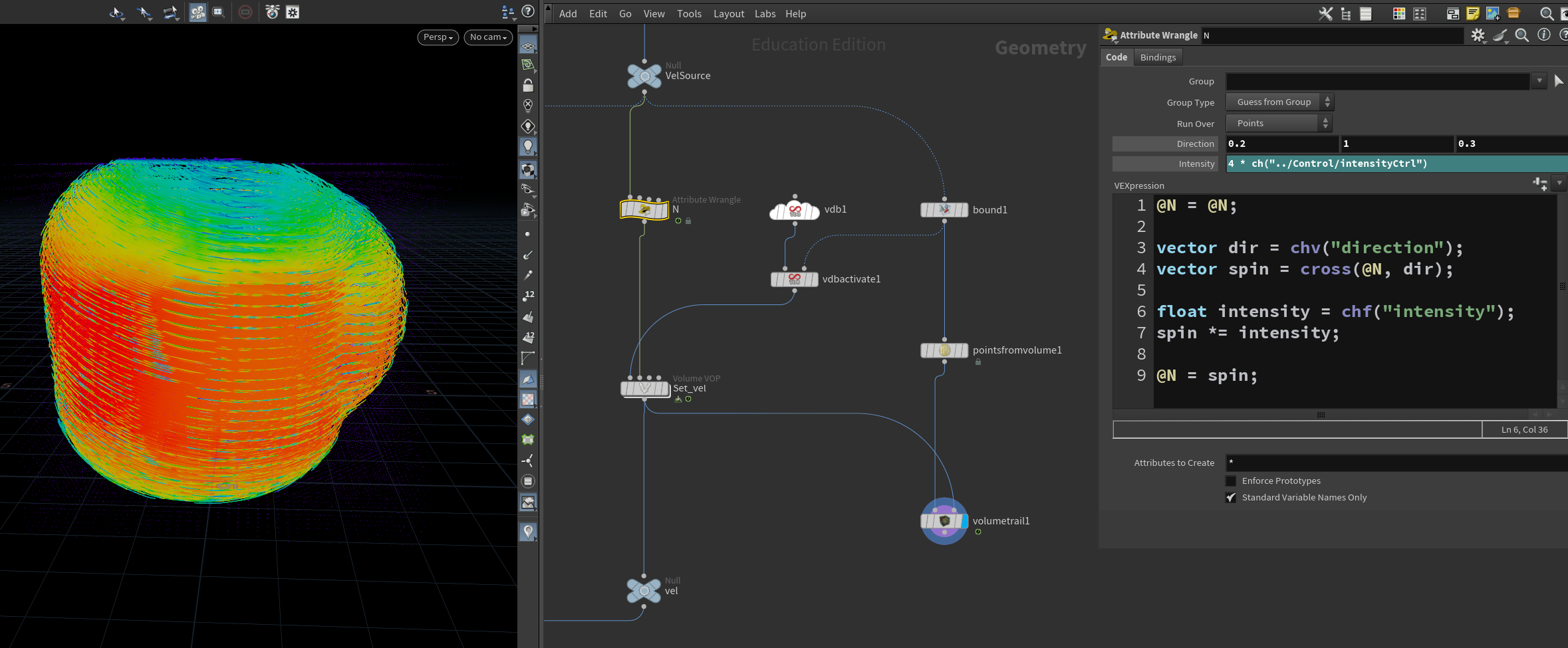
Use VEX code to create a spinning velocity from Normal attribute (@N)
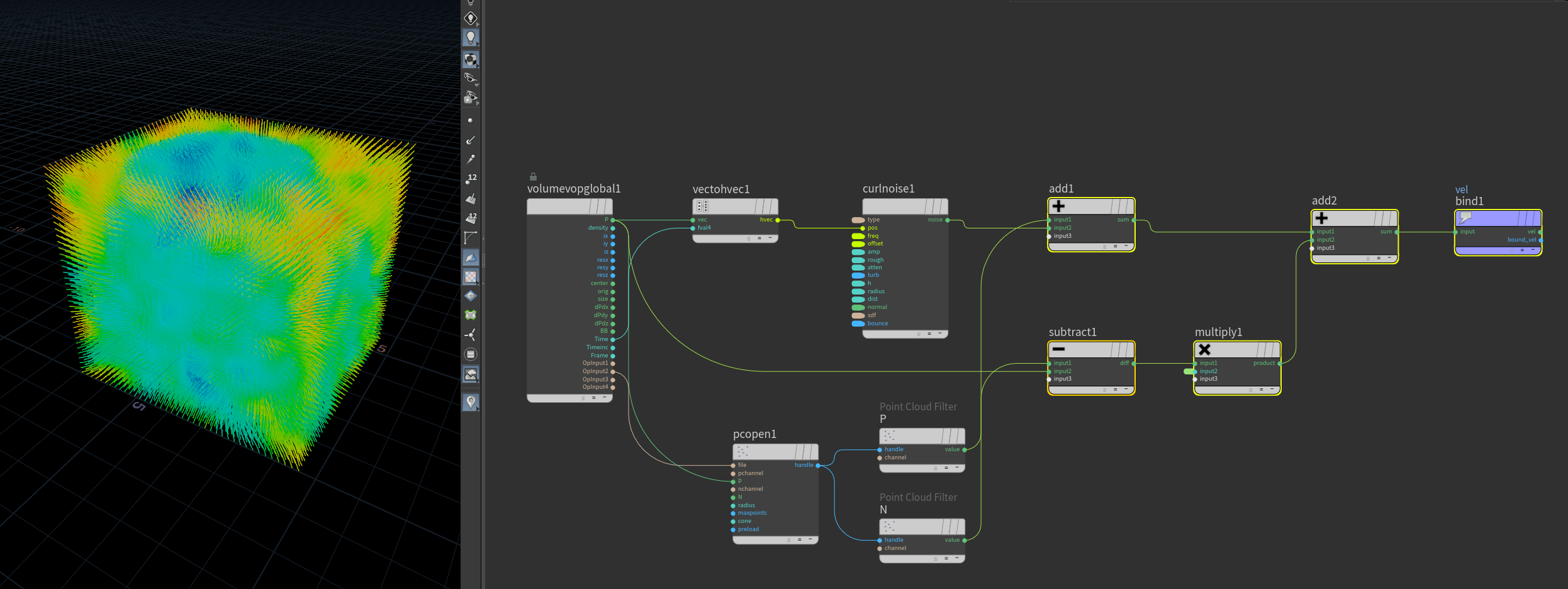
Final velocity field: Combine spinning with noise and push-in vector (to prevent particles from expanding to wide)
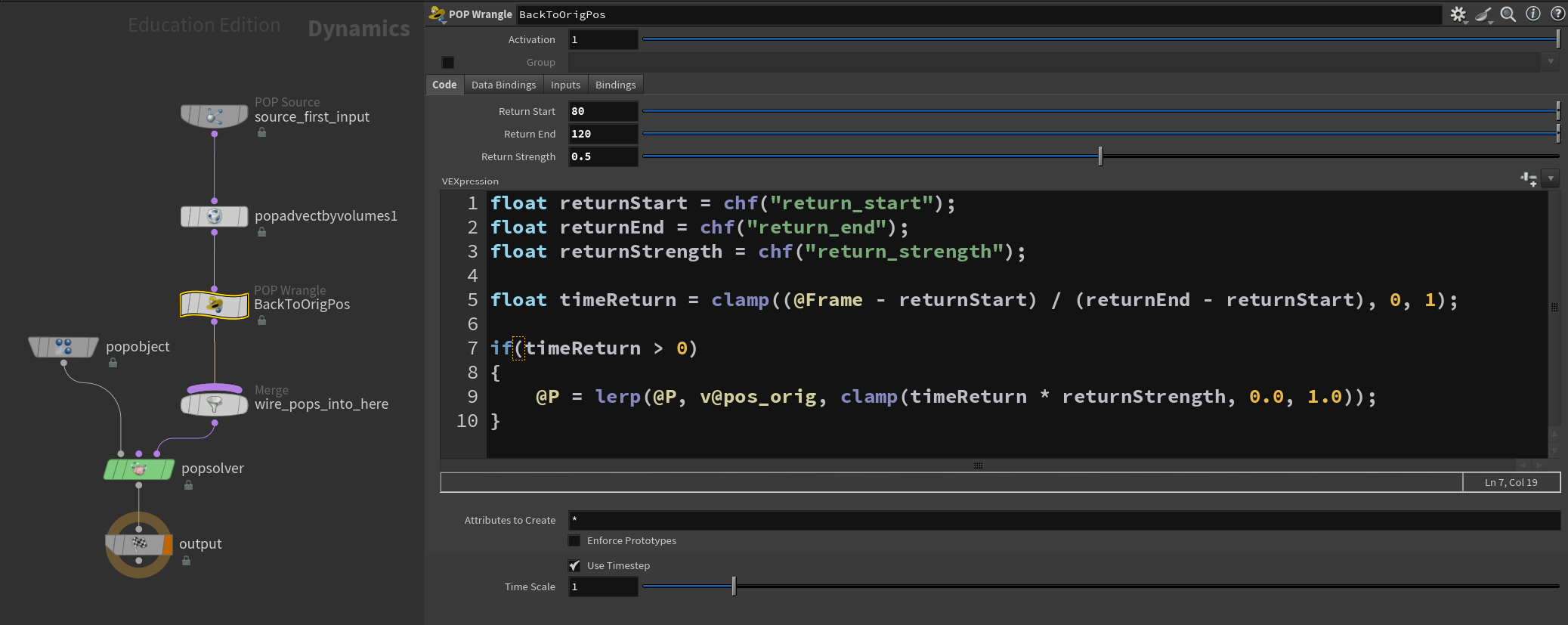
Inside POPNet, use POP Wrangle to force the particles to go back to their original position (mug shape)
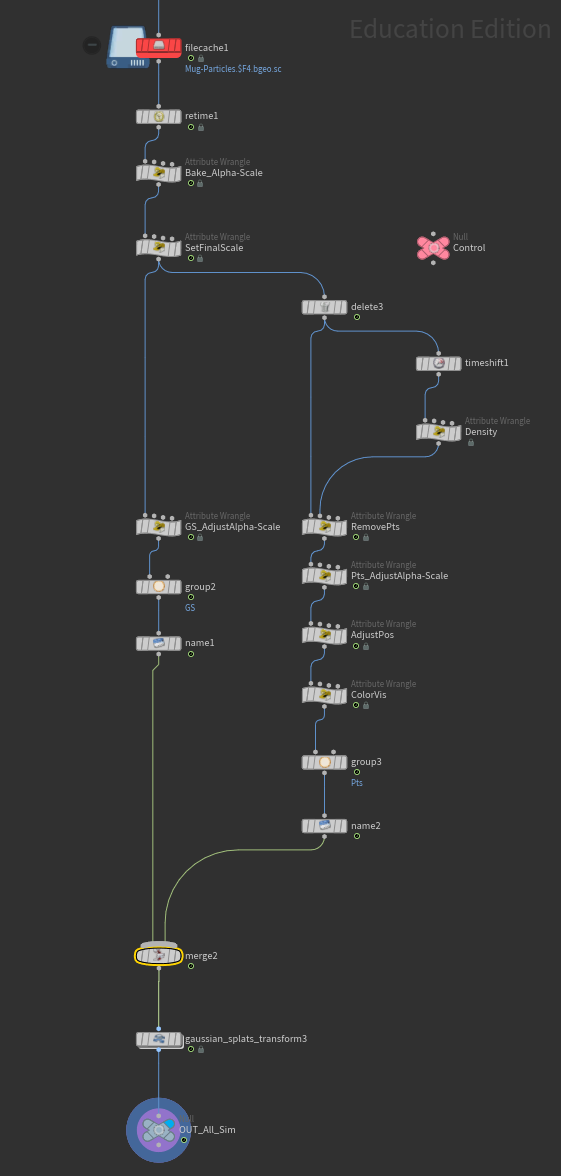
Mix Gaussian Splat with normal particles by animating Alpha and scale attribute to make Gaussian Splat disappear when particles show and vice versa
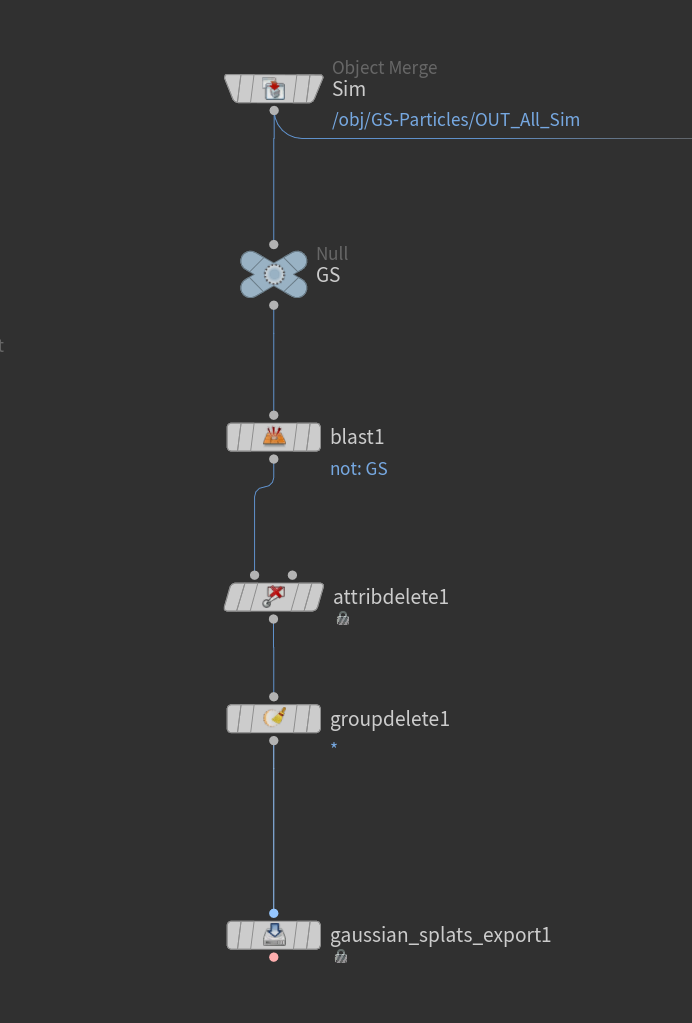
Cache out Gaussian Splat point to prepare for rendering
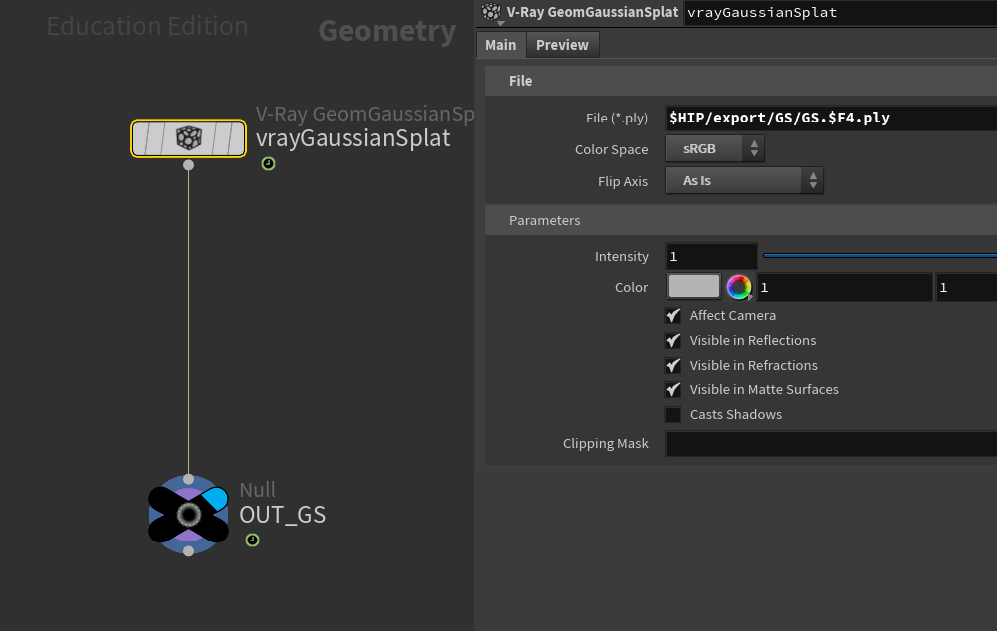
Read simulated Gaussian Splat data back in with V-Ray Gaussian Splat node to render with V-Ray
V-Ray for Gaussian Splat Rendering
Ray-traced: Splats are treated as semi-transparent geometry that light rays intersect
Real shadows cast onto and from splats, real reflections/refractions with scene geometry
Has Alpha channel
Only supported in Render Operator context (ROP/Out) in Houdini, not Solaris