Gaussian Splat with POP Net, to be continue with more complex simulation
Animated Trees
Gaussian Splat from photos limitation
The Gaussian Splat only works from just one angle
Methods to import data from Gaussian Splat to Unreal Engine 5
VAT: Light weight, casting shadow, automatically animated but less realistic
VAT with stylization
GSplat: Postshot required, not casting shadow, heavy, but more details and realistic
Deform GSplat Dirt
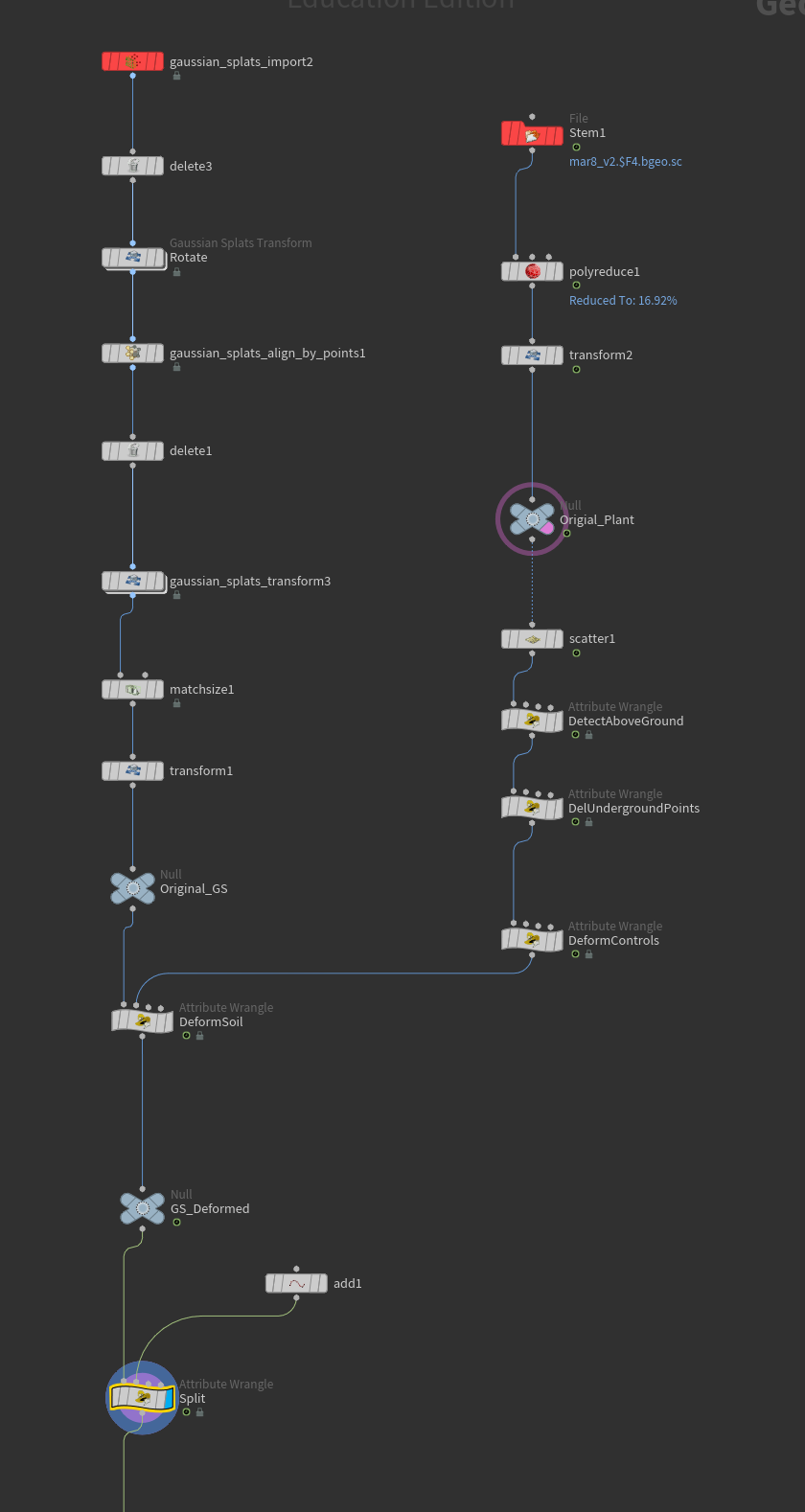
Deform gaussian splat dirt using VEX code in Houdini
Visualize in Houdini
Final look of the dirt in Postshot
Pyro node setup
DeformControls
Runs on plant geometry to prepare deformation data passed to the soil wrangle.
Maps penetration depth to a 0-1 strength value, and computes an outward and upward push direction per point.
DeformSoil
Runs on soil geometry, looping over all plant control points to accumulate deformation influence.
Each control point contributes a radial push weighted by distance falloff and strength, and the total displacement moves soil points outward and upward.
Splat orientations are also rotated via quaternion to match the deformation direction.
Split
Reads an origin point from input 1 and pushes soil points radially outward within a set radius,
using a smooth distance falloff with adjustable sharpness and an optional vertical lift.
Difficulty
A bit hard to control and not very realistic because it is not the real simulation
AI Style transfer with image sequence
The custom AI Style Transfer tool very well with still image but not with image sequence
Stylized still image
Source Image
Stylized png sequence: result shift every frame because the tool regenerate every frame
Spring Quarter 2026 Weekly Plan
Week 01
Explore Gaussian Splat with Particles Simulation in Houdini
Fix alpha channel and depth pass of the Gaussian Splat soil
Week 02
Continue testing Gaussian Splat with Particles Simulation in Houdini and add stylization to the particles created from splat data
Hand test assets to pipeline team for testing Houdini - UE / Houdini - TD pipeline
Week 03
Explore stylized big scale pyro simulation
Week 04
Continue testing stylized big scale pyro simulation
Hand test assets to pipeline team for testing Houdini - UE / Houdini - TD pipeline
Discuss storyboard and shot list
Week 05
Create FX asset lists
FX first pass
Hand first pass assets to pipeline team for testing Houdini - UE / Houdini - TD pipeline
Week 06
Refined FX assets and optimization for LED volume
Create assets with different approach for LED volume, such as pre-rendered effects card and optimization for real-time
Hand second pass assets to pipeline team for testing Houdini - UE / Houdini - TD pipeline
Week 07
Polish FX assets for LED Volume
Load Test
Determine approach for final result
Week 08
Adjust, fix or find solution to make sure that the scenes and assets will work nicely on a real LED volume shoot